
Verification in Legal AI Is a Design Problem
Lawyers remain responsible. Legal AI should make its work easy to check before they sign.

We've added another Practice Management System to our growing list of software integrations.
Actionstep is a leading cloud-based Practice Management System (PMS) used by small and mid-sized law firms across Australia, New Zealand, the UK, and North America. It helps legal professionals manage matters, automate workflows, handle documents, track time and billing, and streamline client communications from a single system.
With our Actionstep integration, documents can now be imported directly into Mary, making it easier to access, upload, and work with your firm's files.
If Actionstep is your PMS, here's how to start using our new integration:
You'll need to go to your Settings page and click Integrations. Any PMS or DMS accounts that you've already connected will be shown here, as well as new services that you're eligible to connect.
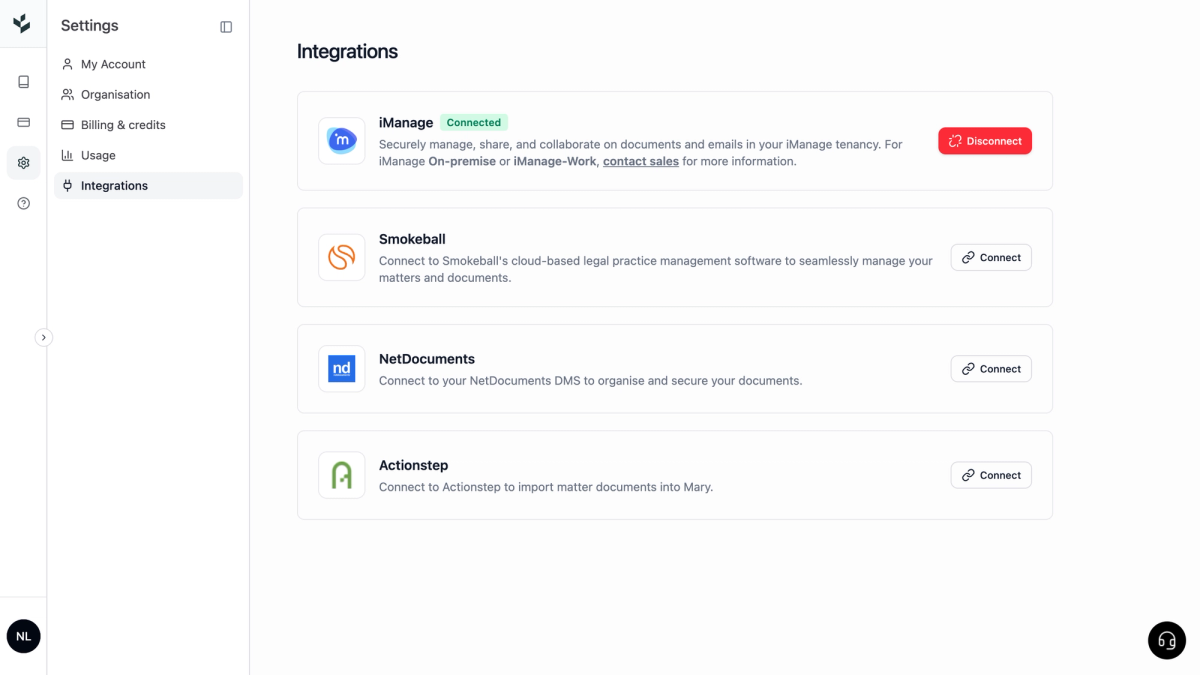
Click "Connect" on the Actionstep integration, then follow the prompts to log in to your Actionstep account in the new window if needed.
Actionstep and Mary are both secure platforms, so you need to explicitly grant Mary access to your firm's files. If you don't have permission to complete this step, you'll need to talk to your Actionstep administrator.
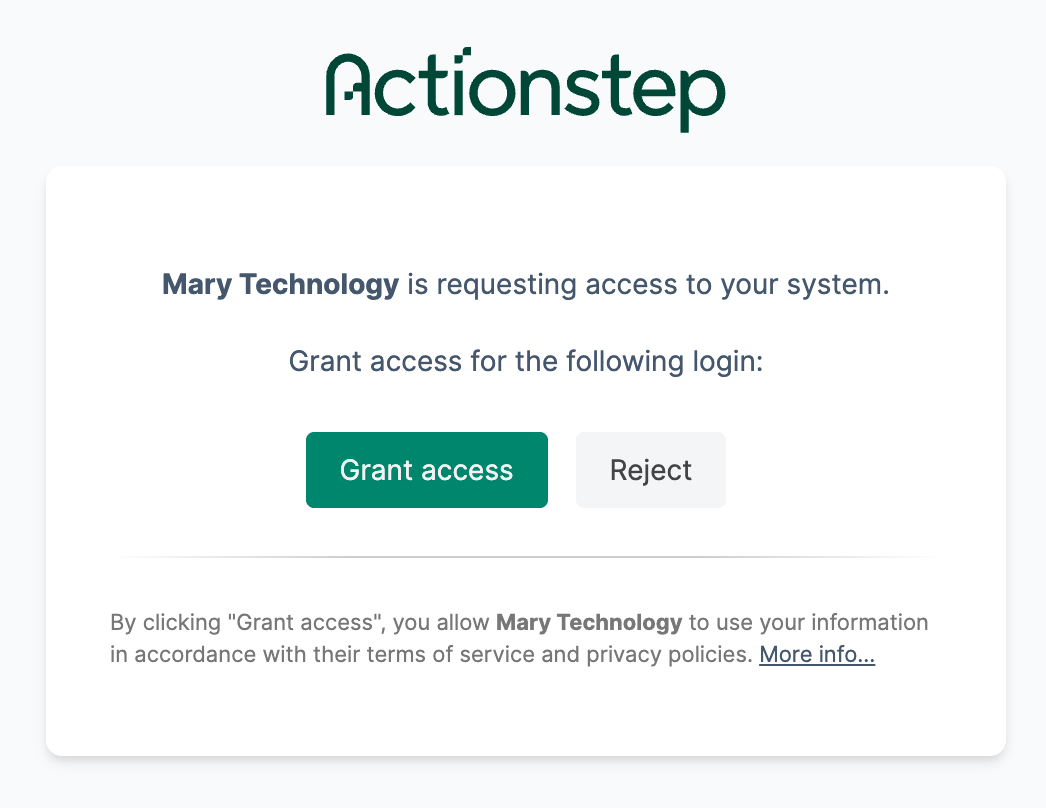
Click "Grant access" to continue.
Open an existing matter in Mary, or create a new one from the All Matters screen. On the Sources page, click the "Add Files" button to reveal your activated integrations as options to import from. Click "Add from Actionstep" to continue.
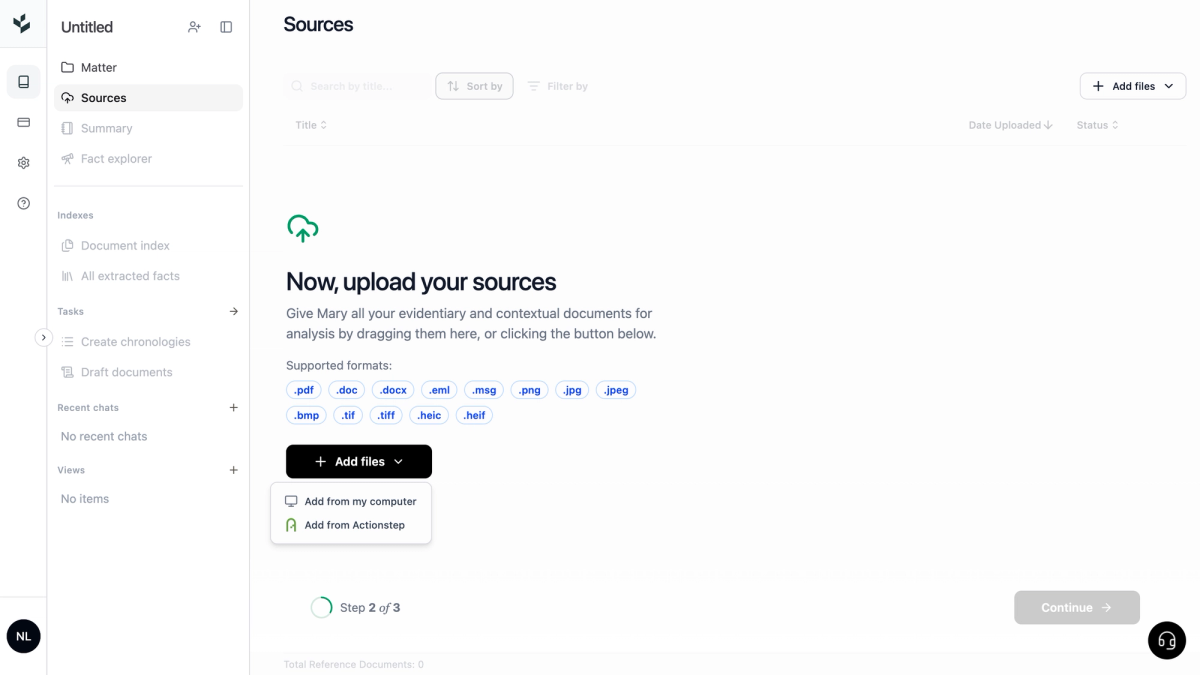
This opens the Actionstep file navigation window.
Using the Actionstep navigation window, find the files you want to add to the matter in Mary. Once you've selected them, click "Add to Mary".
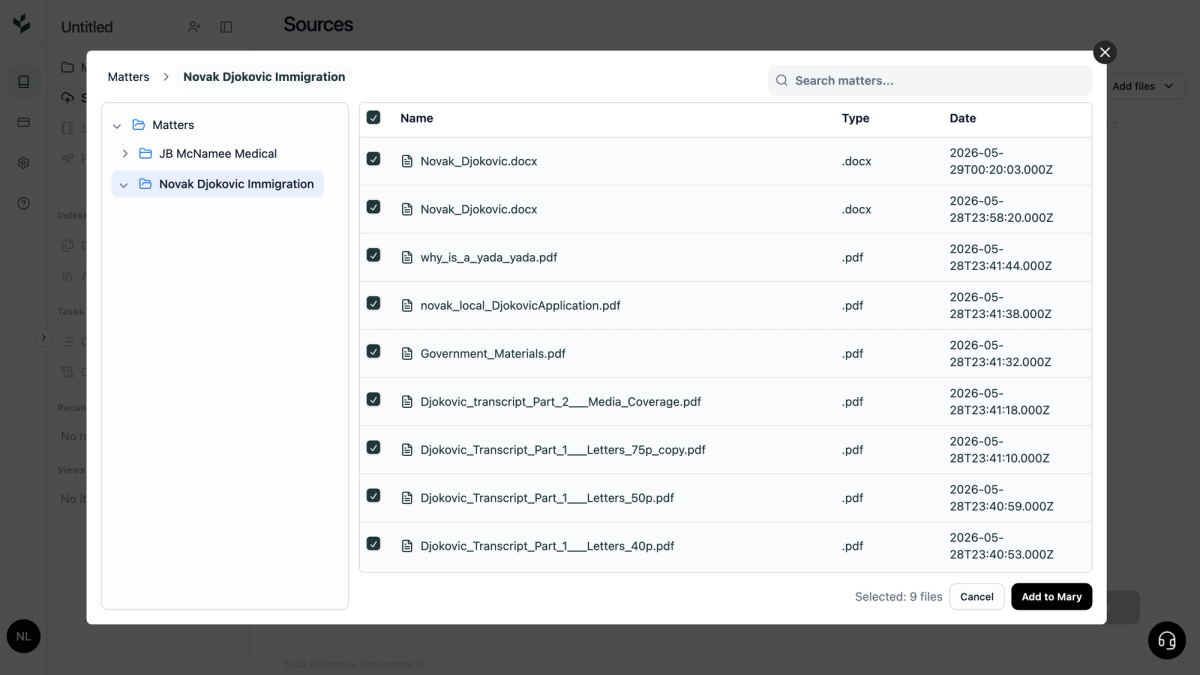
Your files will be automatically imported, uploaded, and validated.
You can keep adding files from Actionstep or other sources, or finish there. When you're happy with the files you've added, click "Continue" to start processing the matter and use Mary's other capabilities, including bundle processing, chronologies, document drafting and financial analysis across your Actionstep documents.
Mary is the go-to platform for over 3,000 legal professionals worldwide. They reach for Mary when they need verifiable document review, fast. Sign up today, and your first 1,000 pages are on us.